 RoboCommander
Your Valetudo robot, as a native app.
For people who run Valetudo on a robot vacuum and are tired of a browser tab. It talks to your robot on your own network. The only thing that can leave your phone is your robot’s address, and only through your own iCloud.
Needs a robot that runs ValetudoFor iPhone and iPad. Mac, Apple Watch and Apple TV with Pro.

This app needs Valetudo.
RoboCommander is a remote for robot vacuums that run Valetudo, the free software that replaces the maker’s cloud. It does not work with a robot that still runs the maker’s own software.
You already run Valetudo
You are in the right place. This is the app you would open instead of the web page.
- Valetudo runs on your robot, and its web page loads on your network.
- You want to start, pause and send the robot home without a browser tab.
- You want rooms, zones and presets one tap away.
- You want it local: no cloud, no account, no analytics.
You have never heard of it
That is fine. Here is the short version.
Most robot vacuums work through the maker’s cloud and app. Some owners install Valetudo on the robot instead. The robot then answers only to the owner’s home network. RoboCommander is a phone remote for those robots.
It cannot control a robot that is not set up that way, and it cannot install Valetudo. Installing takes a supported robot and some patience. If you just want a vacuum that works today, this app is not for you. Your robot’s own app is the better choice.
Screenshots
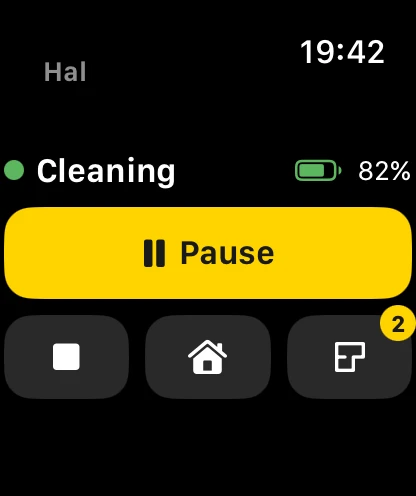
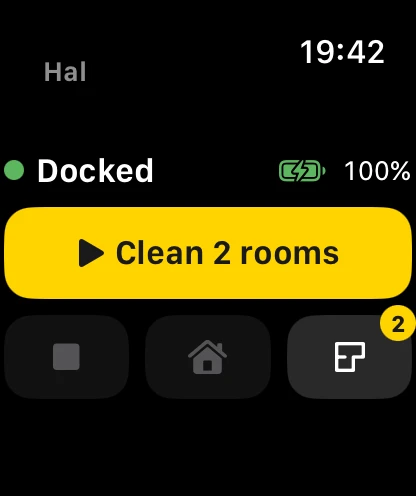
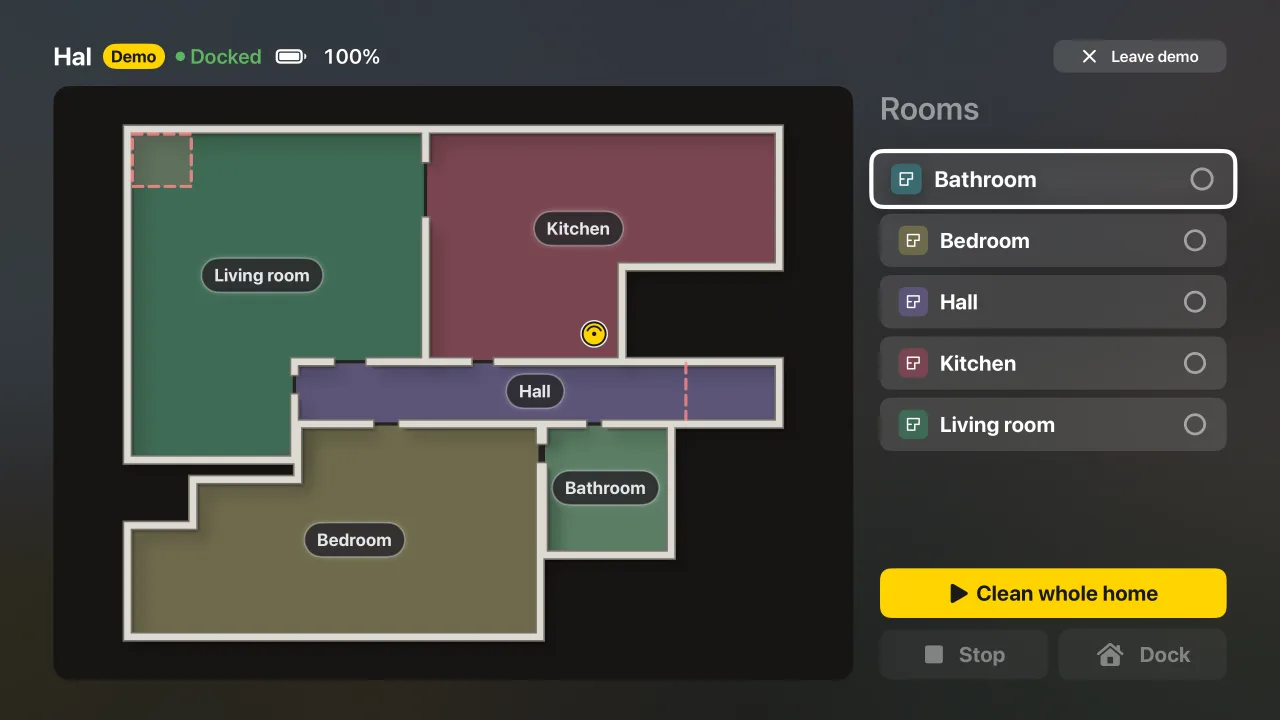
The demo robot, Hal, on iPhone, iPad, Apple TV and Apple Watch.


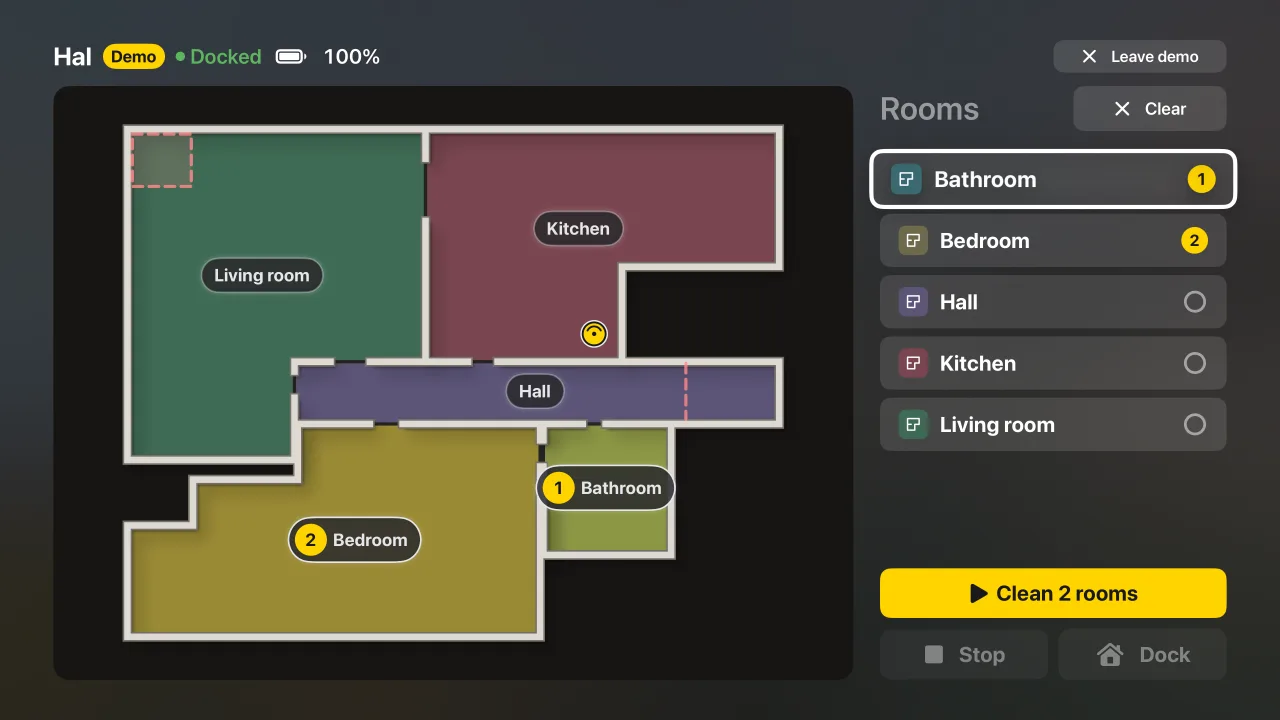
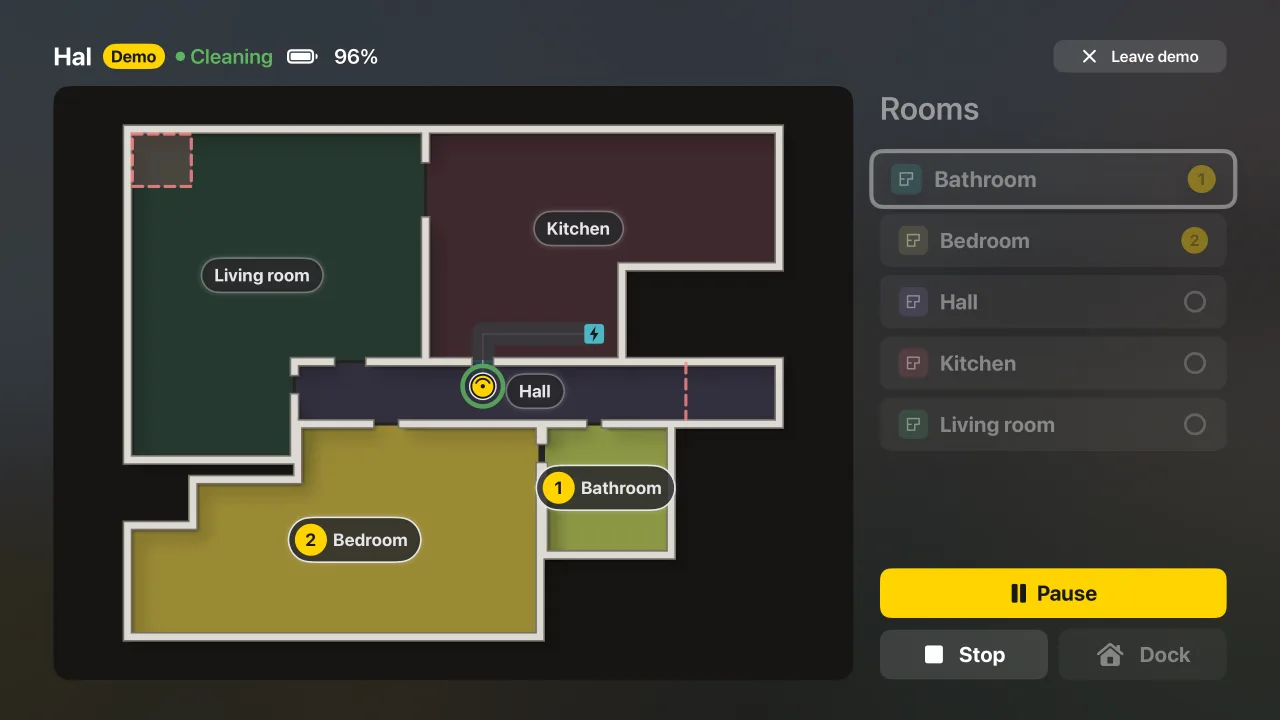
The map Valetudo already has.
Valetudo’s map, drawn natively: rooms, walls, charger, path, no-go areas and virtual walls. It updates live, so you watch the robot move as it happens.
- Wood, tile and carpet show as floor patterns
- The robot is drawn at its real size, and pulses in its status colour
- Pan and zoom are built to stay smooth during live updates

Rooms, zones and presets.
Select segments the way you do in the web page, but with numbered badges and the total area. Then start. For a spill, drag out a zone instead (Pro).
- Several rooms in one run, in the order you tapped
- While a room clean runs, the rooms you skipped dim
- A new zone starts inside the largest room (Pro)
- Repeat a clean in several passes (Pro)
Presets from your robot’s own lists
Mode, suction and water come from the lists your robot reports, in one sheet. A control your robot does not list never appears, and a greyed-out row says why it is off.
Built on Valetudo’s work.
Valetudo does the hard part. It frees the robot from the cloud and gives it a web page of its own. We owe it a lot. RoboCommander adds a native door to that same robot. It uses the same API, and it changes nothing about your setup.
What the app adds
- A map drawn natively, made for touch
- Rooms in the order you tap them, and presets you can reuse
- Big Stop, Pause and Dock buttons for the person who never set the robot up
- Plain-language errors, VoiceOver labels and large-text support
- Easy switching between robots from the name at the top. Your list syncs through your own iCloud (Pro)
- An app for your Mac, Apple Watch and Apple TV (Pro)
The web page stays the place for setup and settings. Keep it bookmarked.
Apple TV, Apple Watch and Mac.
Pro brings the robot to your Apple TV and Apple Watch, and runs the app on your Mac. Start, pause or send it home from the sofa remote or your wrist. The TV talks straight to your robot. The Watch goes through your iPhone.
- iPhone
- iPad
- Mac
- Apple Watch
- Apple TV
How it talks to your robot
Straight to your robot
Valetudo’s REST API on your network. HTTP or HTTPS, any port. Found by Bonjour or typed in.
Live, not polled
Status and map arrive over server-sent events, so the screen follows the robot.
Capability-driven
Controls appear only if your robot lists the capability. Unknown classes are ignored. An unknown map version fails with a clear message.
Auth that fits
Basic Auth in the Keychain. Self-signed HTTPS with a certificate you trust and the app pins, robot by robot.
Easy for the whole household
Big buttons, plain-language errors, VoiceOver labels for rooms and battery, and a layout that adapts to large text.
No surprise commands
Nothing is sent on launch, resume or reconnect. One tap sends one request, and the button waits for it.
Setup stays in Valetudo
Wi-Fi, MQTT, timers, quirks and map editing stay in the web page. This app is for daily cleaning.
Your phone must reach your robot
RoboCommander talks straight to the robot’s address, so the two must be on a network that connects them. At home, that is your Wi-Fi. iOS asks once to allow Local Network access, and the app needs a yes.
Away from home, use a VPN that brings your phone onto your home network, such as WireGuard orTailscale (opens in a new tab). Once the robot’s address answers on your phone, the app works the same. It does not set up a VPN for you, and I run no servers that your robot could go through.
Everything it does
The full list: every control, what it does, and which ones are Pro.
No cloud, no account, no analytics.
RoboCommander has no server. Every request goes from your phone to your robot. The app keeps your robot’s address and settings on your phone, and any Basic Auth login in the iOS Keychain. Pro can sync the address between your devices through your own iCloud, which I cannot read.Read the privacy page.
Free and Pro
Free
One robot, on iPhone and iPad.
- Live map and status
- Clean one room or several
- Mode, suction and water options
- Stop, pause and dock are never locked on iPhone and iPad
Pro
One purchase. Pro is shared with your family.
- Everything in Free
- Draw zones, and clean in several passes
- Dock actions and statistics
- Several robots, switched in one tap
- Robots synced across your devices
- Go to a spot: tap the map, the robot drives there
- Mac, Apple Watch and Apple TV
Pro is a one-time purchase, not a subscription. The price shows in the App Store. Family Sharing shares Pro, not your robots: each family member adds the robot on their own device. Your robots only sync between devices on your own Apple Account.
Questions
I just bought a robot vacuum. Will this work?
Almost certainly not yet. RoboCommander only controls robots that run Valetudo, and a new robot runs the maker’s software. Putting Valetudo on a robot is a project, and only some models can take it. See the list of supported robots (opens in a new tab) and the buying guide (opens in a new tab) first.
What is Valetudo?
Free, open-source software that runs on the robot and replaces the maker’s cloud. The robot then serves its own web page and answers only on your network. Read about Valetudo (opens in a new tab). RoboCommander is an independent app. It is not made by the Valetudo project.
Does it replace the Valetudo web page?
No, and it is not meant to. RoboCommander does the daily job: status, map, rooms, zones, presets and dock actions. Wi-Fi, MQTT, timers, quirks and map editing stay in the Valetudo web page.
Why not a Home Screen bookmark of the Valetudo page?
A bookmark is a fine way in, and it keeps all of Valetudo’s settings one tap away. RoboCommander is for the daily job. It draws the map natively, lets you pick rooms in the order you want and save presets, and keeps Stop, Pause and Dock as large buttons. It sends nothing on launch, resume or reconnect. Setup and one-time settings stay in the Valetudo web page.
I use Home Assistant and MQTT. Does this get in the way?
No. RoboCommander talks to the robot’s own REST API, the same one the Valetudo web page uses. It does not connect to your MQTT broker or to Home Assistant, so it leaves that setup alone.
Does it send notifications?
No, by design. There are no push notifications, and I run no servers that could send them. Open the app to see your robot’s state, including any error message the robot reports.
Will it work with my robot and my Valetudo version?
It reads the capability list your robot reports and shows those controls, so it follows your robot, not a model list. It ignores attribute classes it does not know, and an unknown map version stops with a clear message instead of a crash. It is built against Valetudo 2026.08.0 and supports 2023.03.0 and later. An older release connects with a notice that asks you to update, and some features may be missing. Below 2021.12.0 the map does not load. If something is wrong with your robot or version, tell me on the support page.
My Valetudo has a password, or uses HTTPS.
Both work. Basic Auth logins live in the iOS Keychain. For HTTPS with a self-signed certificate, you choose to trust it once, and the app pins that certificate for that robot.
Does it work away from home?
Yes, if your phone can reach the robot’s address. At home that means the same network. Away from home, put your phone on a VPN that reaches your home network, such as WireGuard or Tailscale (opens in a new tab). RoboCommander does not set up a VPN, and there is no cloud relay, by design.
Do I need an account?
No. There is no sign-up, and I run no servers. You pick your robot from the list the app finds, or type its address once.
Is it open source? Why is it paid?
No. RoboCommander is closed source. Valetudo is free and open, and it stays that way.
Why is it paid? The money helps cover what it costs me to make and ship the app: Apple’s developer fees, tools and subscriptions. It is a small, independent project. I run no servers and sell no data. The app has no subscription and needs no account.
The daily job is free: one robot on iPhone and iPad, with the live map, rooms and presets. Stop, Pause and Dock are never locked there. Pro is a one-time purchase. It adds zones, several cleaning passes, dock actions, statistics, go to a spot, several robots, iCloud sync, and the Mac, Apple Watch and Apple TV apps.
What does the app know about me?
Nothing leaves your devices except through your own iCloud, and only if you turn on Pro sync. Read the privacy page.