 RoboCommander
RoboCommander / Valetudo on Apple TV
Valetudo on Apple TV Pro
See the map and control your Valetudo robot from the sofa. The Apple TV app talks straight to your robot, and you drive it with the remote.
Needs a robot that runs Valetudo. RoboCommander does not work with a robot that still runs the maker’s own software. Is this for me?

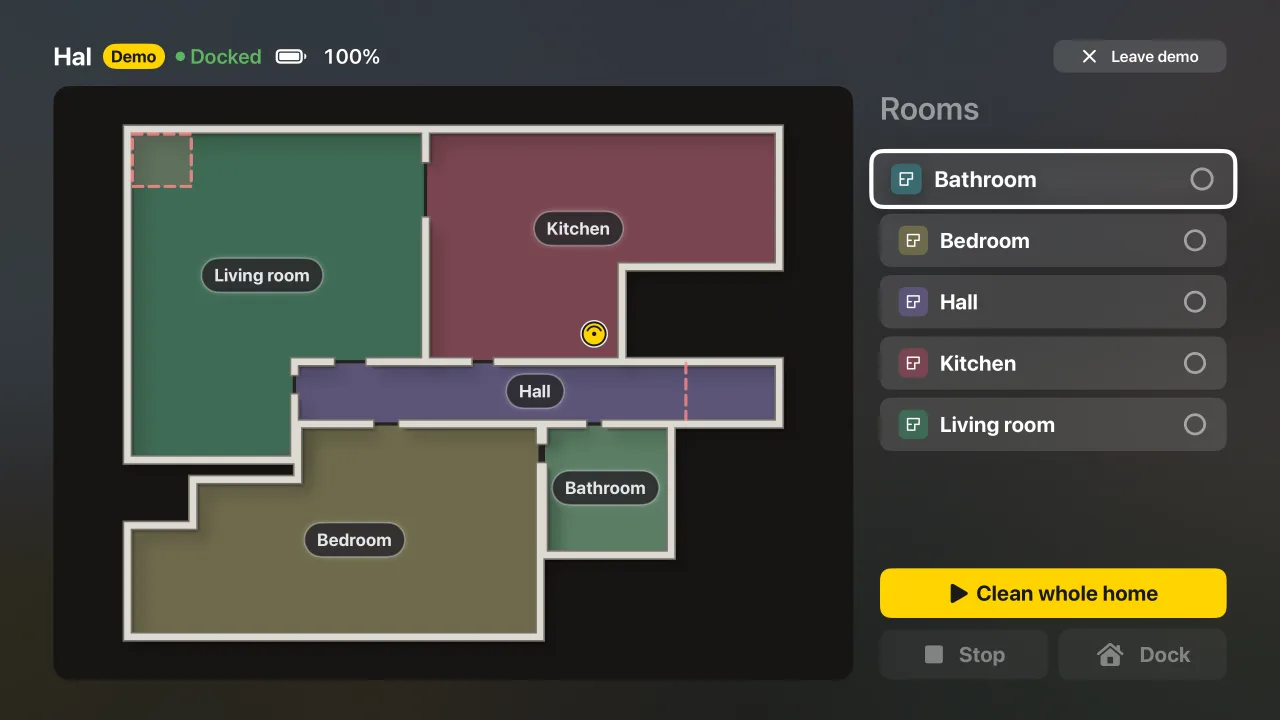
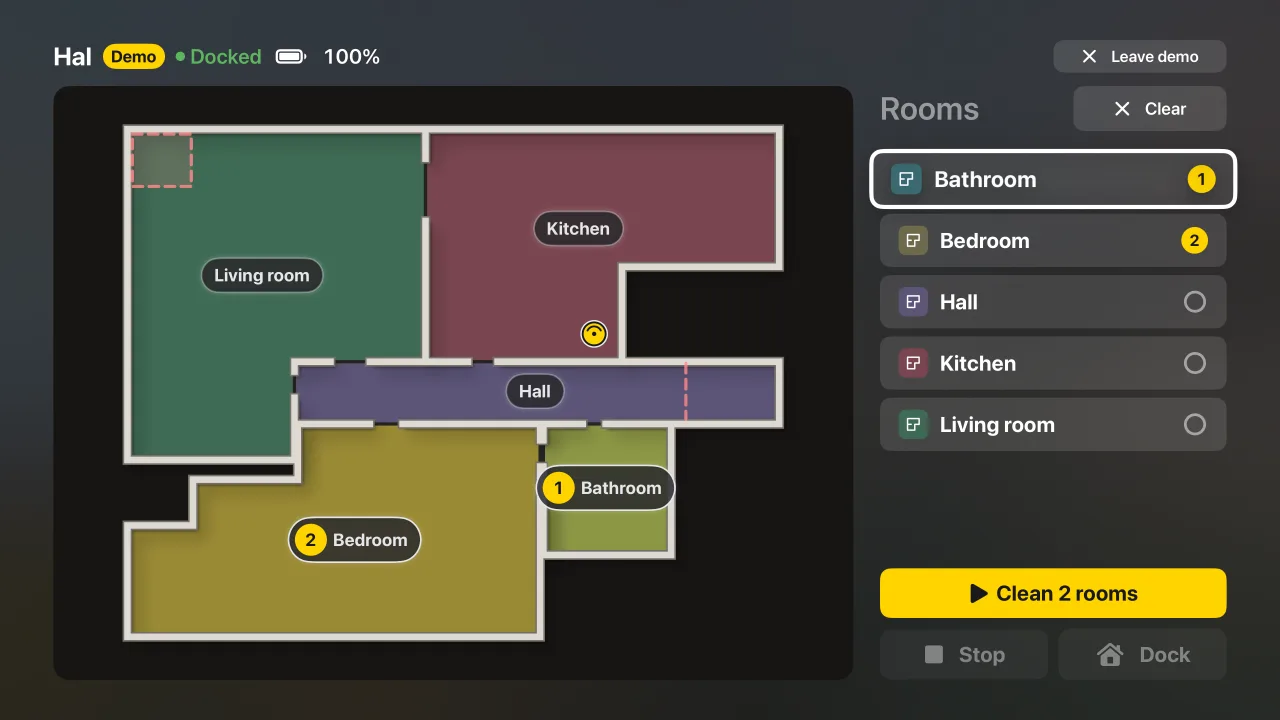
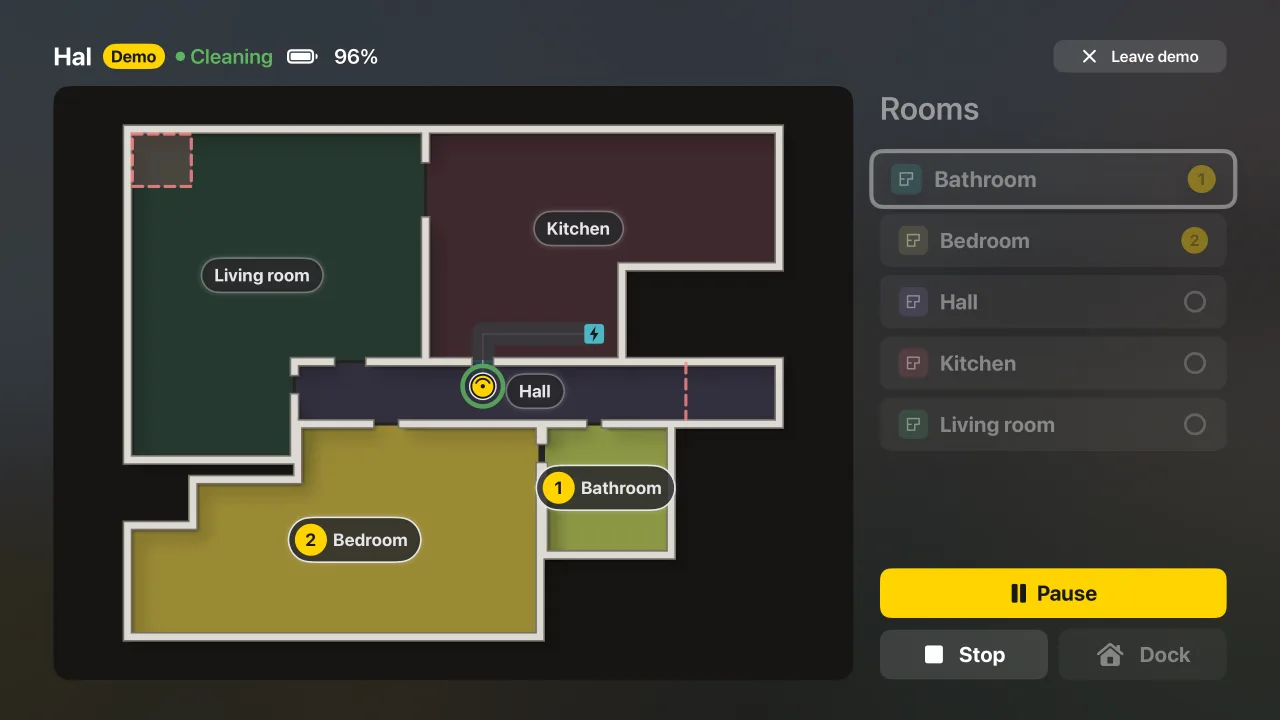
What you can do
- See the live map, the robot’s status and its battery on the big screen.
- Pick rooms with the remote, then clean them.
- Pause, stop, or send the robot home.
- Use a robot with a password or with HTTPS. The TV signs in for you, or you type the login once on the TV.
How it works
The Apple TV talks to your robot directly, with no iPhone in the loop while you use it. It takes its robot from RoboCommander on your iPhone or iPad through your own iCloud, so set the robot up there first. The TV app cannot add or change a robot.
What you need
- A robot vacuum that runs Valetudo, on the same network as the Apple TV.
- RoboCommander on an iPhone or iPad, with your robot set up and iCloud on.
- RoboCommander Pro. The Apple TV app is part of Pro.
No robot yet?
Choose “Try the demo” on the first screen to look around with a built-in demo robot. It sends nothing to a real robot.
More: all features, Apple Watch,Apple TV, Mac, support.