 RoboCommander
RoboCommander / Valetudo on Apple Watch
Valetudo on Apple Watch Pro
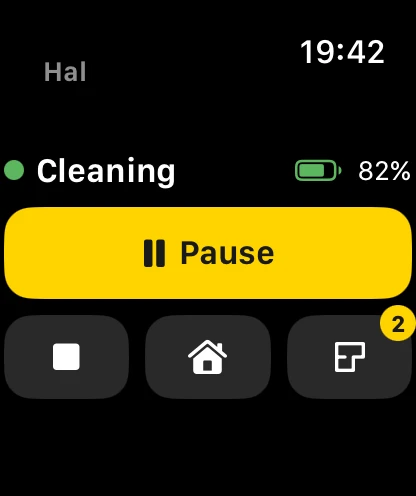
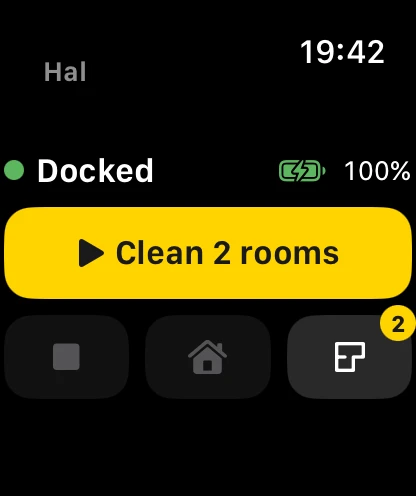
Start, pause and dock your Valetudo robot from your wrist. The Apple Watch app shows the robot’s status and battery, and sends a few commands through your iPhone.
Needs a robot that runs Valetudo. RoboCommander does not work with a robot that still runs the maker’s own software. Is this for me?

What you can do
- See the robot’s status, battery and when it last updated.
- Start a clean of the rooms you picked, or pause it.
- Stop the robot, or send it home to the dock.
- Choose rooms from a list. A badge shows how many are selected.
How it works
The Watch app talks to RoboCommander on your iPhone, and the iPhone talks to your robot. Keep RoboCommander installed on the iPhone and the iPhone within reach. If the iPhone cannot be reached, the Watch asks you to open RoboCommander on it.
What you need
- A robot vacuum that runs Valetudo.
- RoboCommander on an iPhone, with your robot set up there.
- An Apple Watch paired with that iPhone.
- RoboCommander Pro. The Apple Watch app is part of Pro.
No robot yet?
Open RoboCommander on your iPhone, tap “Try the demo”, then open the Watch app. The Watch follows the demo robot.
More: all features, Apple Watch,Apple TV, Mac, support.